Utility pumps are the versatile superheroes of water removal. They drain flooded basements, empty pools and move water from construction sites. Like any hardworking machine, even a dependable pump can lose its rhythm. Age, wear and frequent use take their toll. From short-cycling to low water flow, a faulty pump can cause frustration.
The good news? With the right knowledge and a can-do attitude, you can often troubleshoot utility pump issues on your own.
This guide explores DIY solutions for common pump problems. Grab your tool belt and learn how to fix a utility pump.
Safety First: Steps to Take Before You Troubleshoot
Before diving into a utility pump repair, take these steps to protect you and your equipment:
- Read the manual: Familiarize yourself with your pump’s operating guidelines and safety instructions.
- Power off: Disconnect the pump from the power source to avoid shocking consequences.
- Cool down: Your pump’s motor runs hot and can cause injury when touched.Let it cool down before attempting a DIY repair.
- Suit up: Wear protective gloves and goggles.
- Avoid electrical work: Do not attempt to fix electrical faults. Rather, call a licensed electrician.
DIY Fixes for the 5 Top Utility Pump Problems
Many utility pumps run into the same issues. Here are the five most common problems and ways to solve them:
1. Utility Pump Not Turning On
You flip the pump’s switch, but nothing happens. Try the following:
- Check the power source: The first thing to do when your utility pump isn’t working is to make sure you’ve plugged the pump into a working outlet. Test the outlet for power by connecting another device, using a multimeter or a plug-in tester. Then, check your circuit breaker. Sometimes, an overload trips it without warning.
- Inspect the power cord: Look for fraying along the power cord or damage to the plug. Replace the cord if you find a nick or exposed wire rather than trying to repair it. Electrical damage is a serious safety risk.
- Examine the float switch: A misaligned or obstructed float switch can prevent your pump from turning on. Lift the float to see if the pump activates. Clean the sensor to remove debris or dirt buildup, making sure the switch moves freely.
- Let the pump cool: When a pump runs too long or too often, the motor can overheat. Most utility pumps have a thermal protector that shuts the motor off when it gets too hot. Turn the pump off and let it cool before trying again. If the pump starts up after cooling down, overheating is the culprit.
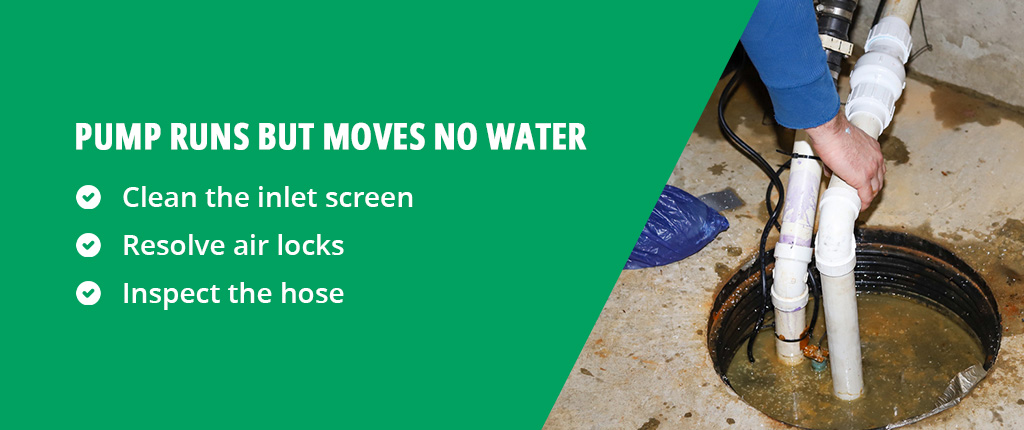
2. Pump Runs But Moves No Water
You can hear the motor humming, but no water flows through the discharge hose. The following may restore flow:
- Clean the inlet screen: The inlet screen filters debris to prevent blockages. Over time, it can become clogged with dirt, algae or sediment. Unplug the pump, remove it from the water and inspect the screen located at the bottom of the unit. If it appears dirty, gently scrub it with a soft brush under running water. Cleaning the screen should restore suction and proper flow.
- Resolve air locks: Air locks happen when air gets trapped in the pump’s housing or discharge hose. That air bubble blocks the flow of water like a cork in a bottle. To fix it, submerge the pump completely and tilt it from side to side to help the trapped air escape. Once the air bubbles rise to the surface, try running the pump again.
- Inspect the hose: A kinked or clogged discharge hose can prevent water from flowing. Lay the hose flat and check for sharp bends or twists. Keep long hoses as straight as possible to maintain an efficient water flow. To clear clogs, disconnect the hose and flush it with clean water.
3. Frequent On-and-Off-Cycling
Your pump keeps turning on and off in short bursts, even when the water level remains constant. This problem wastes energy, shortening the life of your pump. These straightforward solutions may solve short-cycling:
- Reposition the float switch: A float switch too close to the water’s surface can trigger frequent cycling. Adjust the tether length or reposition the switch as needed. Your pump should have a few inches of water rise and fall between cycles, giving it time to drain.
- Examine the check valve: The check valve keeps discharged water from flowing back into the pump. When water reenters the pump, it triggers another cycle. Inspect the valve for cracks or corrosion and replace the damaged check valve if needed.
Frequent cycling may mean an incorrectly sized pump. Consult your manual or contact a professional to ensure you have the right pump size for the job.
4. Loud or Unusual Noises
Grinding, rattling or vibrating noises are a utility pump’s call for help. Here’s what to check:
- Listen for rattling: Small stones or debris can slip through the intake, causing rattling inside the impeller housing. Unplug the pump and remove the housing cover. Clear out any visible debris, then rinse the impeller with clean water. If the noise continues, the impeller itself may need repair or replacement.
- Identify a humming motor: A loud hum with no water movement could signal a jammed impeller. After disconnecting the power, open the pump housing and rotate the impeller by hand. If it feels stuck, remove any obstructions. Does the impeller move freely, but the humming persists? The issue might be electrical — a repair best left to a professional.
- Check for loose parts: Some noises come from vibrating components. Tighten mounting screws or any loose fittings on the pump’s housing. Placing rubber pads or vibration dampeners under the unit can reduce excessive rattling.
5. Low Water Flow Rate
Pumps with low flow rates typically indicate a problem with the hose or impeller. These DIY fixes may solve the problem:
- Study the hose: A kinked, blocked or damaged hose can restrict water flow. Unhook the hose and run water through it to remove debris or clogs. Straighten out the hose to correct any kinks. If you have a long discharge hose, shortening it can increase the water flow.
- Clean the impeller: Blockages in the impeller can impact the water flow rate. Unplug the pump and remove debris from the impeller, ensuring it can rotate.
Signs It’s Time to Replace Your Pump
Even the most reliable pumps have their limits. If your utility pump won’t run, even after following these troubleshooting steps, it may be time to retire your old workhorse.
Signs that you should consider replacing your utility pump include:
Repeated repairs: The cost of frequent repairs can add up to more than that of a new pump. Newer models boast energy efficiency, quieter operation and improved materials that resist wear.
Aging unit: Pumps at the end of their service life stop functioning like they should. A well pump has a lifespan of around 15 years, while a sump pump can last up to 10 years.
Safety concerns: Utility pumps with significant damage can pose a safety risk. Visible corrosion or cracks are clear signs that replacement is your best option.
Incorrect pump size: An over- or undersized pump is more likely to fail. Replacing it with the right size can save time, money and energy.
Find Your Next High-Performing Utility Pump
Water causes all kinds of havoc, and removing it can be a huge hassle. Utility pumps keep spaces dry and projects on track. When the time comes to replace yours, choose one built to perform. Star Water Systems designs pumps with reliability, efficiency and longevity in mind. We offer a utility pump for every purpose. Our submersible, condensate and transfer pumps ensure water flows to where you need it.
Find your nearest retailer to invest in a high-performance pump today.